If you’ve ever texted a friend a tiny video that loops over and over, laughed at a dancing cat online, or seen a short clip repeat itself on a website, you’ve already met a GIF.
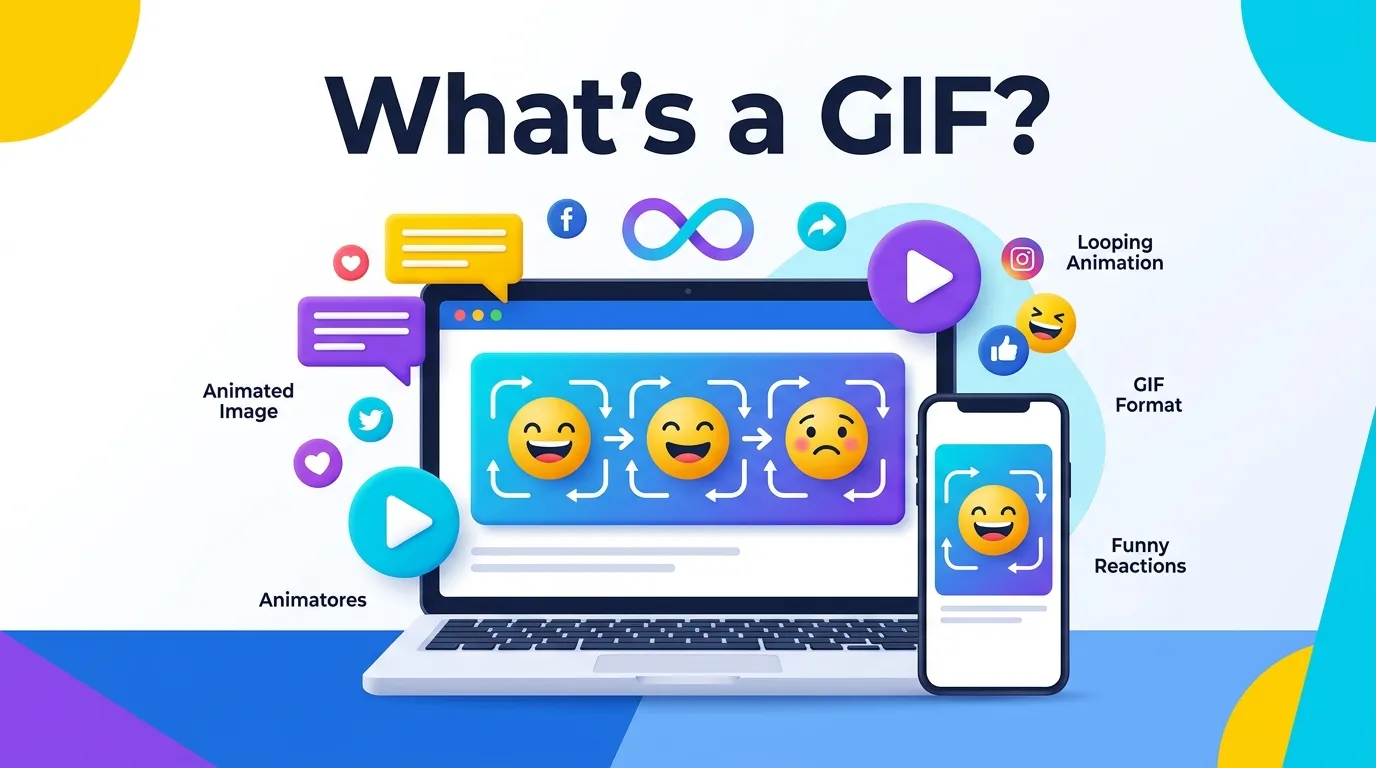
A GIF is a type of image file that can hold many pictures inside it, and when those pictures play one after another, they create a short moving image.
Unlike a regular photo, a GIF can move, loop, and even tell a tiny story in just a few seconds.
People search for what’s a GIF for all kinds of reasons. Some just heard the word and want to know what it means.
Others want to know how GIFs are made, why they’re everywhere online, or how to say the word out loud without sounding silly at a party.
If brought you here, this guide will walk you through everything in plain, easy language.
By the end, you’ll know exactly what a GIF is, where it came from, and how to use one yourself.
Quick Answer
A GIF is a picture file that can show a short, repeating animation without any sound. GIF stands for Graphics Interchange Format, and it was created so that small, simple animations could load quickly and play automatically on almost any device or website. Think of it like a tiny flipbook made of pictures that plays on a loop, again and again, without you having to press play.
Meaning or Definition
The word GIF is short for Graphics Interchange Format. That sounds technical, but the idea behind it is simple. A GIF file stores a series of images, called frames, inside one single file. When a computer or phone opens that file, it flips through the frames quickly, one after another, the same way a flipbook works when you fan the pages with your thumb.
Because the frames play so fast, your eyes see smooth motion instead of separate pictures. Most GIFs are set to loop forever, which is why you can watch the same three-second clip of a basketball bouncing or a person waving hello play over and over without it ever stopping on its own.
There are two big things that make GIFs different from regular photo files like JPEGs or PNGs:
- A GIF can hold multiple frames, which creates movement.
- A GIF has no sound. It is always silent, even if the original video clip had audio.
That second point surprises a lot of people. Even a GIF made from a movie scene with dialogue or music will play completely silent, because the GIF format was never built to carry audio.
What Is a GIF and What Does GIF Mean
A GIF is a digital image file format that can display both still pictures and short animated clips. The word GIF stands for Graphics Interchange Format and it is commonly used on websites social media and messaging apps. People use GIFs to share reactions funny moments instructions and visual effects. Unlike regular images a GIF can contain multiple frames that play one after another creating a simple animation without needing a full video file.
Does a GIF Have to Move
A GIF does not always have to move. While many people think of GIFs as short looping animations a GIF file can also be a single still image. The format supports both static pictures and moving visuals. Animated GIFs are more popular because they are often used for reactions memes and quick demonstrations online. However a non-moving GIF is still considered a valid GIF because the file type itself does not require animation.
Is a GIF a Video or Image
A GIF is technically an image file not a video. It works by storing a series of images called frames that can play in sequence to create motion. Unlike videos GIFs usually do not include sound and are much shorter in length. Many people compare GIFs to mini videos because they move but their structure is closer to an image format. This is why GIFs are commonly shared as pictures on social media platforms.
GIF Types and GIF Images
There are different types of GIFs used for various purposes. Animated GIFs show movement through multiple frames while static GIFs display only one image. Other common uses include reaction GIFs memes transparent GIFs logos and educational graphics. GIF images are popular because they are easy to upload share and view across many devices. Their small file size and simple animation style make them useful for online communication and digital content.
Origin or History
The GIF format was created in 1987 by a computer scientist named Steve Wilhite, who worked for a company called CompuServe. Back then, internet connections were extremely slow, and most images took a long time to load. CompuServe needed a way to share small, colorful images that wouldn’t take forever to download over a dial-up modem.
Wilhite and his team built the GIF format to solve that problem. It used a special kind of compression that made image files much smaller than other formats at the time, while still supporting bright colors and, eventually, simple animation. The very first version launched in 1987, and an updated version with animation support came out in 1989.
For a while, GIFs were mostly used for basic web graphics, like buttons, banners, and small icons on early websites. But as the internet grew and social media took over in the 2000s and 2010s, people discovered that GIFs were perfect for something else entirely: short, funny, shareable clips that could express a feeling faster than words. That’s when the GIF truly became the internet superstar it is today.
How Are GIFs Made?
Making a GIF is easier than most people expect, and you don’t need to be a computer expert to do it. Here’s a simple breakdown of the usual process:
| Step | What Happens |
| 1. Choose a source | Pick a video clip, a series of photos, or draw frames by hand. |
| 2. Trim the length | Cut the clip down to just a few seconds, since GIFs work best when they’re short. |
| 3. Convert to frames | Special software breaks the video into individual image frames. |
| 4. Adjust settings | Set the size, quality, and how fast the frames should play. |
| 5. Save as a GIF | The tool combines the frames into one looping GIF file. |
Many free websites and apps let you turn any video clip into a GIF in just a few clicks. You simply upload your video, pick the start and end points, and the tool does the rest. Some popular messaging apps also let you search a huge library of ready-made GIFs, so you never even have to make your own.
Why Are GIFs So Popular?
GIFs took off because they solve a problem that plain text and even emojis can’t always fix: showing exactly how you feel in a quick, visual, and often funny way. A single GIF of someone rolling their eyes or throwing confetti can say more than a whole sentence, and it usually gets a laugh, too.
Here are a few reasons GIFs became such a big part of how people communicate online:
- They’re fast to load. Since GIF files are usually small, they play almost instantly, even on slower internet connections.
- They don’t need sound. You can watch and understand a GIF anywhere, even in a quiet room or a meeting, without turning on volume.
- They loop automatically. There’s no need to press play. The moment a GIF shows up on your screen, it starts moving right away.
- They’re easy to share. Most texting apps, social media platforms, and messaging tools have a built-in GIF search, so finding the perfect reaction takes seconds.
- They capture emotion instantly. A well-chosen GIF can express excitement, confusion, sarcasm, or joy faster than typing out a full reply.
Real-Life Examples
To make this even clearer, let’s look at how people actually use GIFs in daily life:
- A friend texts you Guess who got the job! and you reply with a GIF of someone jumping up and down with excitement.
- A coworker sends a GIF of a person nodding slowly in a work chat instead of typing I agree.
- A website uses a small looping GIF to show how a button works, without needing to load a full video.
- Someone posts a GIF of a confused cartoon character under a comment they don’t understand.
- A teacher shares a GIF of a bouncing ball to help explain motion in a science lesson.
Notice how none of these examples need sound to make sense. That silent, always-moving quality is part of what makes GIFs so useful for quick, casual communication.
Common Mistakes
Even though GIFs are simple, a few mix-ups happen often. Here’s a table that clears up the most common confusion.
| Common Mistake | The Truth |
| Thinking GIFs always have sound | GIFs are always silent, no matter what the original clip had |
| Confusing GIFs with regular videos (MP4) | Videos are separate files with sound and usually better quality; GIFs are simpler and silent |
| Believing GIFs must be funny memes | GIFs can also be used for logos, website graphics, tutorials, and more |
| Thinking a GIF and a still image are the same | Only animated GIFs move; some GIFs are actually just one still frame |
| Assuming GIF files are always huge | GIFs are usually small, though longer or high-quality ones can get large |
How Do You Say GIF? A Common Debate
One of the funniest arguments on the internet is how to actually pronounce the word GIF. There are two common ways people say it:
- Jif with a soft g sound, like the peanut butter brand.
- Gif with a hard g sound, like the word gift without the t.
Interestingly, Steve Wilhite, the man who invented the GIF format, always said it should be pronounced Jif. He even joked about it publicly for years. Even so, plenty of people, including many tech experts, prefer the hard g sound because the word graphics starts with a hard g. There’s no official rule that everyone follows, so honestly, either pronunciation is considered acceptable today. It’s one of those rare cases where both sides have a solid argument, and most people just stick with whichever one they learned first.
Current Usage or Trends
GIFs are still hugely popular today, even though newer formats and short video clips exist. Most major messaging apps, from text messages to workplace chat tools, have a built-in GIF search feature. Social media platforms let people react to posts using GIFs instead of typing a comment. Businesses also use GIFs in marketing emails and on websites because they grab attention without needing the viewer to click play.
One newer trend is the rise of formats like WebP and short MP4 video clips, which can sometimes do the same job as a GIF but with smaller file sizes or added sound. Still, the GIF format has stuck around because it’s simple, works everywhere, and doesn’t need any special software to view. Almost every phone, computer, and web browser can open a GIF instantly, which is a big reason it hasn’t disappeared, even after almost 40 years.
Tips or Best Practices
If you want to use GIFs well, whether for texting, social media, or a website, keep these simple tips in mind:
- Keep it short. The best GIFs are usually just two to six seconds long. Longer ones can feel slow and take up more storage space.
- Match the mood. Pick a GIF that actually fits what you’re trying to say, so your reaction makes sense to the other person.
- Watch the file size. If you’re adding a GIF to a website, try to keep it small so your page still loads quickly.
- Use trusted sources. Search for GIFs through well-known apps or sites so you avoid low-quality or broken files.
- Don’t overdo it. A single well-timed GIF has more impact than sending five in a row.
FAQs
Q: What is a GIF used for
A: A GIF is used for sharing short animated images or reactions online.
Q: GIF pronunciation
A: GIF is commonly pronounced as “jif” or “gif” depending on personal preference.
GIF (jiff)
Q: GIF examples
A: GIF examples include funny reactions animations memes and short looping clips.
Q: What does GIF mean from a girl
A: GIF from a girl usually means she is sharing an animated reaction or expressing a feeling.
Q: GIF full form
A: GIF stands for Graphics Interchange Format.
Q: GIF meaning in chat
A: In chat GIF means a short animated image used to express emotions or ideas.
Q: GIF full form in WhatsApp
A: GIF in WhatsApp stands for Graphics Interchange Format and is used for animated messages.
Q: GIF or jif
A: GIF or jif refers to the two common pronunciations of the word GIF.
Conclusion
So, what’s a GIF? In short, it’s a small, silent, looping picture file that can play a short animation, and it’s become one of the most fun and expressive tools we use to communicate online.
From its humble start in 1987 as a way to share small graphics over slow internet connections, the GIF has grown into a beloved part of texting, social media, and everyday online life.
You’re using one to react to a funny message, explain something on a website, or just make a friend laugh, GIFs are an easy and universal way to add personality to your messages. Next time you send one, you’ll know exactly what’s happening behind that little looping picture.
Discover More Articles
- IYKYK Mean? Everything You Need to Know
- OFC Mean? Complete Guide
- What Does TH Mean? Full Meaning Explained
- What Is OFC Mean? Simple Guide With Real Examples

At goffaws.com, we believe laughter is as vital as a strong core. Much like Harper Lee’s gift for finding humor and truth in the everyday, we’re here to celebrate the lighter side of fitness. These CrossFit puns and jokes remind us that strength isn’t only measured in reps or rounds—it’s also in the ability to laugh through the burn. So lace up, grab your barbell, and get ready to lift your spirits as high as your next personal best.